
GOLAKHOR
House Rent Management
GoLakhor House Rent Management is a modern digital platform designed and developed by Nattoint to simplify the management of rental properties. The platform enables house owners and tenants to stay connected through a centralized system, making rental management more organized, transparent, and convenient for everyone involved.
House owners can use the platform to manage their properties, monitor monthly rent payments, keep track of tenant information, view payment histories, send notices, and maintain important rental records. Tenants can easily access their rent details, payment status, due dates, announcements, and other essential information related to their tenancy from anywhere at any time.
By reducing paperwork and streamlining communication, GoLakhor House Rent Management helps create a smoother rental experience for both owners and tenants. The platform is designed to improve efficiency, enhance transparency, and provide a reliable solution for managing rental properties in the digital age.
Features for House Owners
1. Dashboard
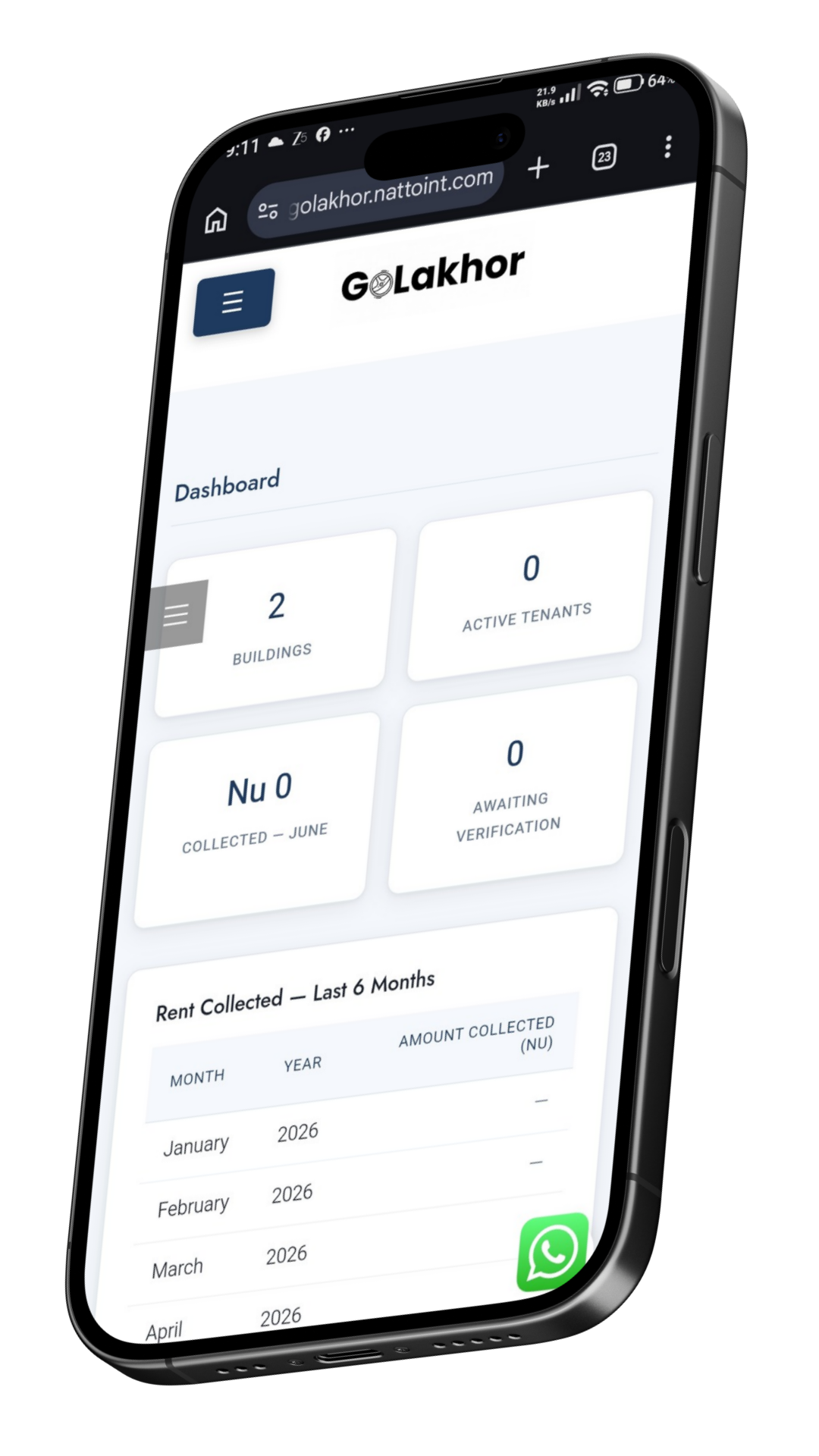
The Dashboard provides a complete overview of your rental business in one place. House owners can:
- View the overall status of rent collection.
- See the total number of buildings registered.
- Check the total number of tenants currently renting.
- View the number of tenant applications awaiting verification.
- Access building details and occupancy information.
- Monitor rent collection trends for the last six months through reports and summaries.
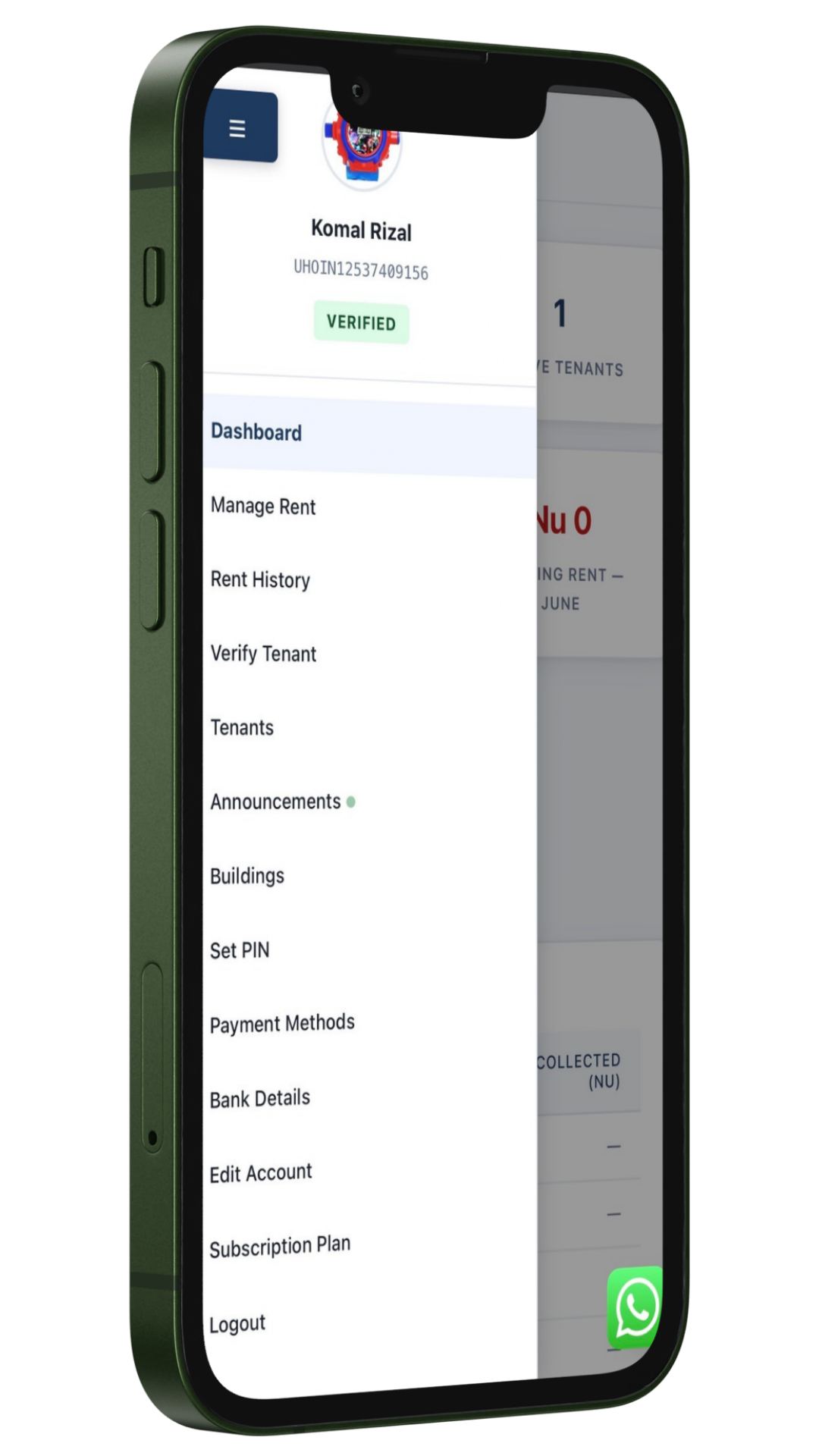
2. Manage Rent
This feature allows house owners to efficiently manage rental charges for all their properties.
- Set or update monthly rent for every unit in your building(s).
- View which units are currently occupied.
- Identify vacant units available for rent.
- Manage rent information for multiple buildings from a single location.
3. Rent History
Keep track of all rental payments made by tenants.
- View complete payment records of tenants.
- Check payment dates, amounts paid, and payment status.
- Verify rent payments submitted by tenants whenever necessary.
- Maintain transparent and organized financial records.
4. Verify Tenant
Before tenants officially occupy a unit, house owners can review and verify their applications.
- See all tenant requests for renting units.
- Review tenant information and submitted details.
- Approve or reject tenant applications.
- Ensure that only verified tenants can rent your property.
5. Tenants
Manage all tenant information conveniently from one section.
- View detailed information of all tenants.
- Search for specific tenants quickly.
- Filter and find tenants based on buildings.
- Monitor tenant occupancy across multiple properties.
6. Announcement & Communication
Stay connected with your tenants through an integrated communication system.
- Send announcements to tenants of specific buildings.
- Broadcast important notices to all tenants.
- Chat directly with individual tenants.
- Share text messages as well as images for better communication.
- Notify tenants regarding rent, maintenance, or other important updates.
7. Buildings
This section helps owners manage multiple rental properties easily.
- Add new buildings to the system.
- Edit existing building information.
- Update building details whenever required.
- Manage all registered buildings from a centralized location.
8. Set PIN
For enhanced account security, owners can manage their login PIN.
- Create a new login PIN if one has not been set.
- Change the existing PIN at any time.
- Improve account protection and secure access.
9. Payment Methods
View the available methods through which tenants can make rent payments.
- Check supported payment methods.
- As of now, bank transfer is the available payment option.
- Additional payment methods may be introduced in future updates.
10. Bank Details
Manage the bank account where rental payments will be received.
- Add bank account information.
- Update or change existing bank details.
- Ensure tenants transfer rent to the correct account.
11. Edit Account
Keep your account information up to date.
- Change your profile picture.
- Update your name, phone number, and email address.
- Modify your residential address and other account information.
- Maintain accurate owner records.
12. Subscription Plan
Manage your GoLakhor subscription directly from your account.
- View your current subscription details.
- Check subscription validity and expiry date.
- Renew your subscription whenever necessary.
- Continue enjoying uninterrupted rental management services.
13. Log Out
Securely sign out from your GoLakhor account.
- End your current session safely.
- Protect your account when using shared or public devices.
Owner Registration Prerequisites
To register as a House Owner on GoLakhor House Rent Management, you must provide the following information and documents for verification and property listing purposes.
I. Personal Information
- Full Name
- National ID Card Number
- Phone Number
- Email Address
- Property Address
- Permanent Address
II. Property Information
- Building Name
- Property Type (Apartment, House, Commercial Building, etc.)
- Number of Floors
- Floor, Unit, and Room Details
- Minimum of 5 Recent Property Images
III. Payment Integration
- Bank Name
- Bank Account Number
- Bank-Linked Phone Number
- Bank QR Code
IV. Documentation
- Front and Back Copy of National ID Card
- Recent Passport-Size Photograph
- Proof of Property Ownership (such as recent rent receipts, approved house drawings, land ownership documents, utility bills, tax receipts, or other supporting documents)
V. Plan Subscription
Select a suitable subscription plan to activate and manage your property listing on the GoLakhor House Rent Management platform.
All submitted information and documents will be reviewed for verification before account approval and property activation.
Tenant Registration Prerequisites
To register as a tenant on GoLakhor House Rent Management, users must provide the following details to create and maintain a verified rental profile within the system.
I. Personal Information
- Full Name
- National ID Card Number
- Phone Number
- Email Address
- Property Address (Current place where you are renting)
- Permanent Address
- Profile Image
II. Rental Selection
- Selection of House Owner, Building, Floor, and Unit you are renting in
After submitting the required information, the tenant profile will be linked to the selected property. The final verification and approval of the tenant is carried out by the respective House Owner to ensure authenticity and confirm the tenancy relationship within the platform.
